
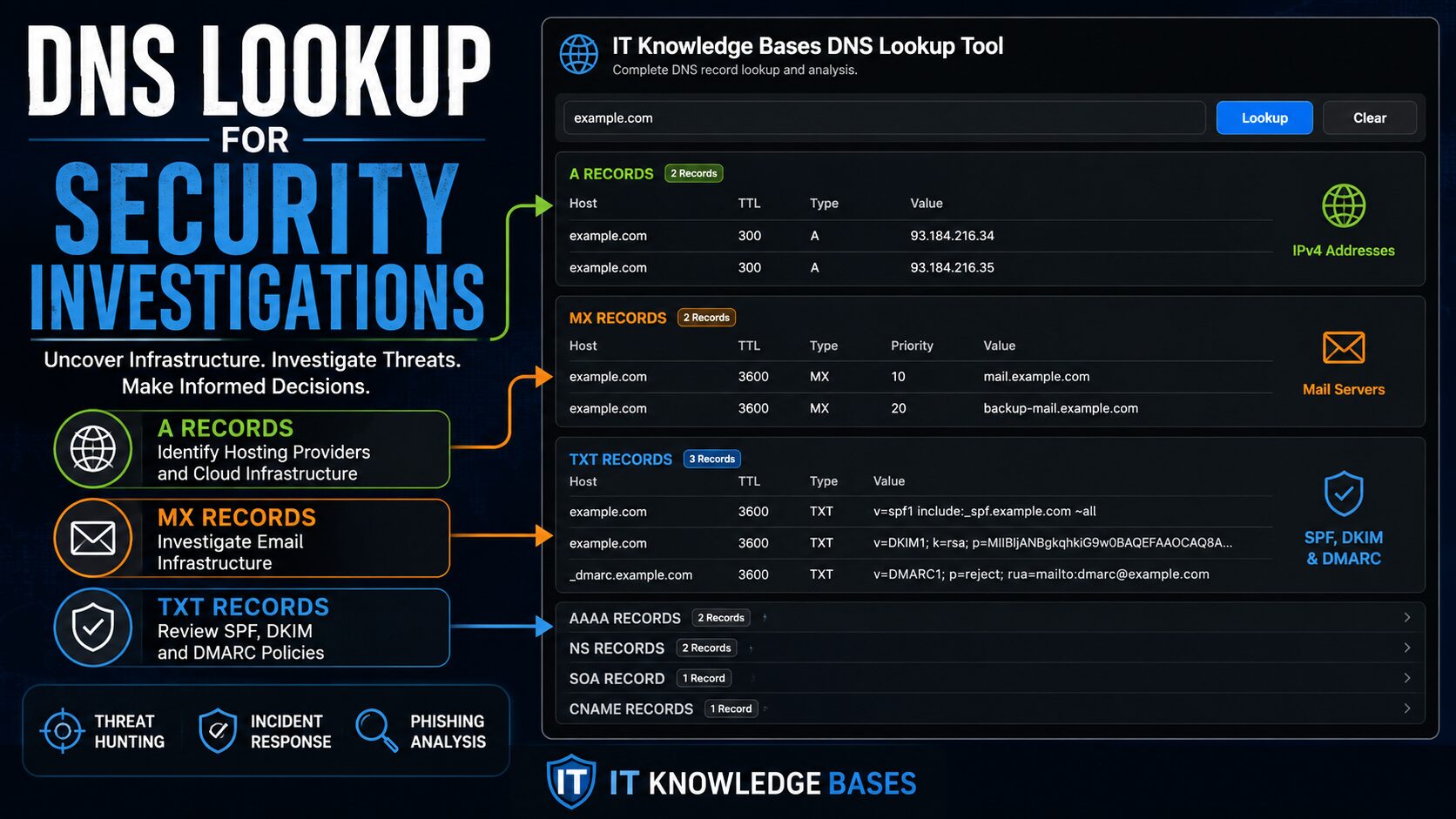
When investigating phishing emails, suspicious websites, malware activity, or potential command-and-control infrastructure, DNS records are often one of the fastest ways to gather actionable intelligence. A simple DNS lookup can reveal hosting providers, email infrastructure, cloud services, content delivery networks (CDNs), and security controls that help analysts understand what they are dealing with.
Whether you’re an IT administrator, SOC analyst, incident responder, or security researcher, DNS analysis should be one of the first steps in your investigation workflow.
Use the IT Knowledge Bases DNS Lookup Tool to quickly review DNS records and gain visibility into the infrastructure behind a domain.
What Is a DNS Lookup?
A DNS lookup retrieves records associated with a domain name. These records tell computers how to locate websites, route email, verify ownership, and provide services across the internet.
Common DNS record types include:
- A Records (IPv4 Addresses)
- AAAA Records (IPv6 Addresses)
- MX Records (Mail Exchange Servers)
- NS Records (Name Servers)
- TXT Records (SPF, DKIM, and DMARC Records)
- CNAME Records (Aliases)
- SOA Records (Zone Authority Information)
For security investigations, these records often reveal much more than simply where a website is hosted.
Why DNS Matters During Security Investigations
Attackers rely on DNS just as much as legitimate organizations.
Every phishing site, malware command-and-control server, ransomware payment portal, and malicious email domain typically requires DNS records to function.
DNS records can help identify:
- Hosting providers
- Cloud infrastructure
- Email providers
- CDN services
- Third-party vendors
- Potential attacker mistakes
- Newly established infrastructure
A DNS lookup often provides enough information to determine whether a domain deserves deeper investigation.
Investigating A Records
A records map a domain name to an IPv4 address.
example.com

104.20.23.154
172.66.147.243
Questions investigators should ask:
- Who owns these IP addresses?
- Are they hosted by a known provider?
- Is a CDN being used?
- Does the hosting location make sense?
Multiple A records often indicate load balancing, high availability, content delivery networks, or distributed infrastructure. However, large numbers of changing IP addresses can sometimes indicate fast-flux malware infrastructure.
Common IP Address Ranges Security Professionals Should Recognize
Recognizing common provider IP ranges can immediately provide context during an investigation.
Cloudflare
Common ranges include:
104.16.x.x
104.17.x.x
104.18.x.x
104.19.x.x
104.20.x.x
172.64.x.x
172.66.x.x
188.114.x.x
What it tells you:
- Site is likely behind Cloudflare
- Origin infrastructure may be hidden
- DDoS protection is likely enabled
- Additional investigation is required to identify the actual host
Example:
example.com

104.20.23.154
172.66.147.243
This strongly suggests Cloudflare is acting as a reverse proxy.
Amazon AWS
Common ranges:
3.x.x.x
13.x.x.x
18.x.x.x
34.x.x.x
44.x.x.x
52.x.x.x
54.x.x.x
Common hostnames:
amazonaws.com
elb.amazonaws.com
cloudfront.net
AWS is widely used by both legitimate organizations and threat actors.
Microsoft Azure
Common ranges:
20.x.x.x
40.x.x.x
52.x.x.x
104.x.x.x
Common hostnames:
azurewebsites.net
cloudapp.azure.com
trafficmanager.net
Azure infrastructure is frequently encountered in enterprise environments and Microsoft 365 integrations.
Google Cloud
Common ranges:
34.x.x.x
35.x.x.x
104.x.x.x
Common hostnames:
run.app
appspot.com
googleusercontent.com
These records often indicate Google Cloud workloads and SaaS platforms.
DigitalOcean
Common ranges:
134.122.x.x
157.230.x.x
159.65.x.x
167.71.x.x
DigitalOcean infrastructure is commonly seen in development environments, VPS deployments, startups, and phishing infrastructure investigations.
Don’t Ignore AAAA Records
AAAA records provide IPv6 addresses.
Many organizations focus heavily on IPv4 during investigations while overlooking IPv6 infrastructure.
When reviewing AAAA records:
- Verify IPv6 firewall coverage
- Confirm monitoring exists
- Review security logging
- Check for exposed services
Attackers increasingly leverage IPv6 because it often receives less scrutiny than IPv4.
Using MX Records During Phishing Investigations
MX records identify mail servers responsible for receiving email.
When investigating suspicious domains, MX records can reveal whether a domain is configured to send or receive email.
Legitimate providers often include:
- Microsoft 365
- Google Workspace
- Proofpoint
- Mimecast
Questions to ask:
- Is email configured?
- Does the provider appear legitimate?
- Does the configuration align with the organization being impersonated?
A newly registered domain with functioning MX records is often worth investigating further.
Examining Name Servers
NS records identify who controls DNS for a domain.
ns1.cloudflare.com
ns2.cloudflare.com
or
ns1.examplehost.net
ns2.examplehost.net
Name servers can help identify:
- Hosting providers
- DNS providers
- Third-party services
- Suspicious infrastructure
Pay particular attention to Dynamic DNS providers such as:
duckdns.org
ddns.net
no-ip.com
hopto.org
While legitimate uses exist, these services frequently appear in malware and command-and-control investigations.
TXT Records and Email Security
SPF Records
v=spf1 include:spf.protection.outlook.com -all
SPF records define which servers can send email on behalf of a domain.
Potential red flag:
v=spf1 +all
This configuration effectively allows anyone to send email as the domain.
DMARC Records
v=DMARC1; p=reject;
DMARC helps prevent email spoofing and phishing attacks.
Domains lacking DMARC protections may indicate weak security practices, newly established domains, or potential phishing infrastructure.
DKIM Records
DKIM allows recipients to validate message authenticity. Organizations that send significant email should typically have DKIM configured.
Detecting Fast-Flux Infrastructure
Fast-flux is a technique used by botnets and malicious infrastructure to rapidly rotate IP addresses.
Potential indicators include:
- Large numbers of A records
- Constant DNS changes
- Short TTL values
- Globally distributed IP addresses
Fast-flux infrastructure is commonly associated with malware campaigns, botnets, phishing operations, and command-and-control systems.
DNS Investigation Workflow
Step 1: Run a DNS Lookup
- Review A Records
- Review AAAA Records
- Review MX Records
- Review NS Records
- Review TXT Records
Step 2: Identify Infrastructure
- Hosting Provider
- CDN Usage
- Cloud Platform
- Geographic Location
Step 3: Review Email Security
- SPF
- DKIM
- DMARC
- MX Records
Step 4: Evaluate Risk
- Dynamic DNS Usage
- Fast-Flux Indicators
- Missing Email Security Controls
- Suspicious Infrastructure
Step 5: Continue the Investigation
Recommended Investigation Tools
DNS records provide valuable infrastructure intelligence, but they only tell part of the story.
Continue your investigation using:
The combination of DNS analysis and website inspection often reveals indicators that would be missed by examining either source independently.
Why DNS Analysis Matters
DNS records provide some of the fastest and most reliable intelligence available during a security investigation. Within seconds, investigators can identify hosting providers, cloud platforms, email infrastructure, security controls, and potential attacker infrastructure.
Whether you’re responding to a phishing campaign, investigating malware communications, performing threat hunting, or validating suspicious domains, DNS analysis should be one of the first steps in your investigative process.
Key Takeaways
- DNS records provide critical intelligence during security investigations.
- A records help identify hosting providers and infrastructure.
- AAAA records reveal IPv6 attack surface that is often overlooked.
- MX, SPF, DKIM, and DMARC records provide insight into email security.
- Dynamic DNS providers frequently appear in malware investigations.
- Fast-flux DNS behavior can indicate malicious infrastructure.
- DNS analysis works best when combined with RDAP, URL analysis, and phishing detection tools.
- Recognizing common Cloudflare, AWS, Azure, and Google Cloud IP ranges can significantly accelerate investigations.