
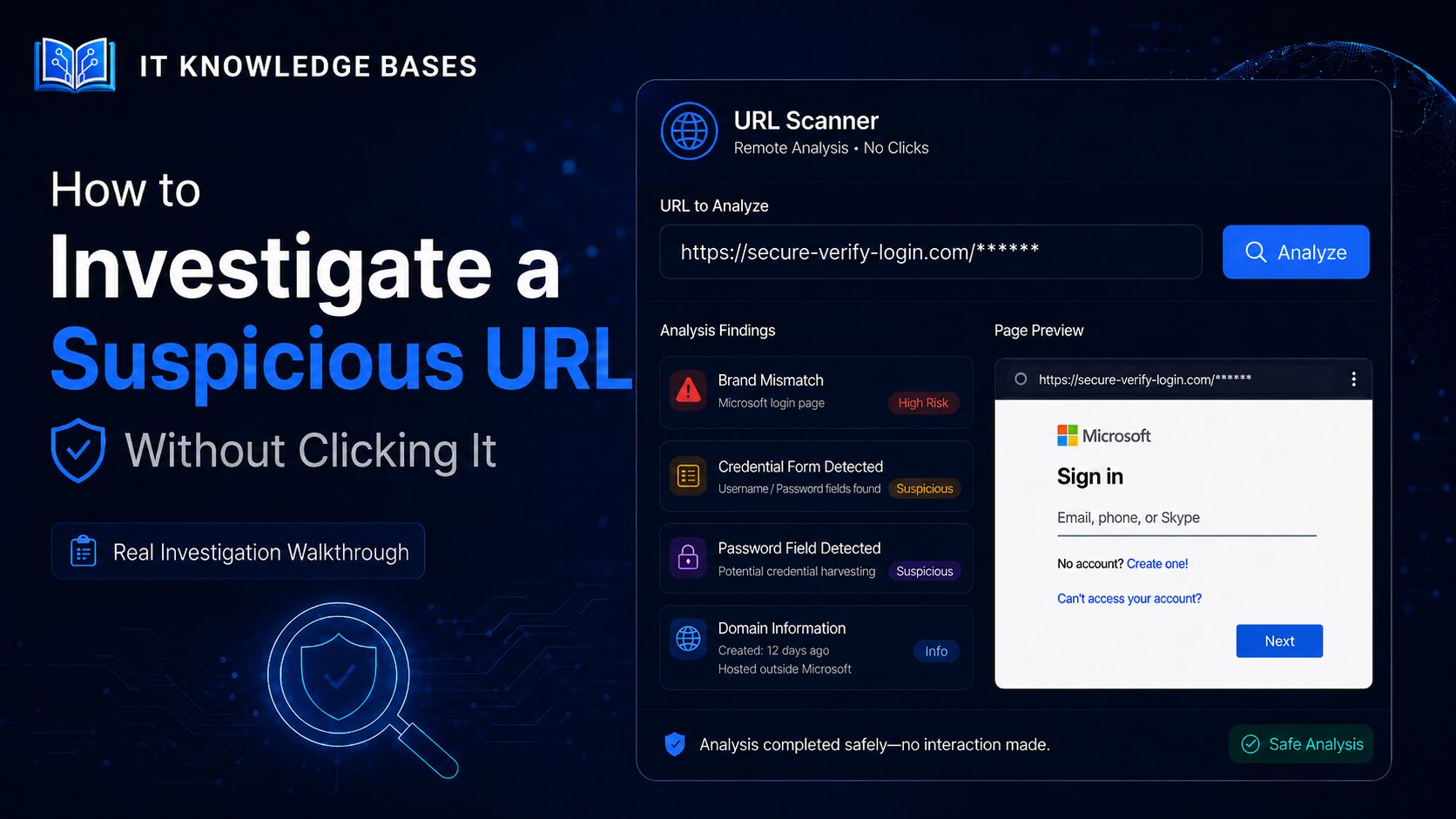
A real-world walkthrough showing how a Microsoft-branded credential-phishing page was identified through remote screenshots, password-field detection, domain analysis and brand-mismatch findings.
A suspicious URL may lead to a credential-harvesting form, malicious download, tracking page or redirect chain designed to conceal its real destination.
Even when the page looks familiar, the visible branding may have no relationship to the domain hosting it. HTTPS, a professional design and a recognizable logo do not establish that a page is legitimate.
This investigation uses the IT Knowledge Bases Phishing URL Scanner to examine a real suspicious link without opening it directly on the investigator’s workstation.
The submitted URL was:
https://kanduvo.com/?rid=aaBf••••
Part of the rid value has been redacted because query-string parameters may identify a recipient, campaign or individual phishing session.
The objective was not to ask whether the link merely looked suspicious. The objective was to collect enough evidence to determine what the page was doing and whether it should be trusted.
Investigation Summary
The remote scan identified:
- A Microsoft-branded sign-in page
- An email or account-name field
- A password field
- A form consistent with credential collection
- Microsoft branding on a non-Microsoft domain
- Missing security headers associated with suspicious page content
The combination of an unrelated domain, Microsoft impersonation and credential collection is consistent with a credential-phishing page.
Step 1: Preserve the Original URL
Before decoding, scanning or modifying a suspicious link, preserve it exactly as it was received.
https://kanduvo.com/?rid=aaBf••••The URL contained the following components:
| Component | Observed value |
|---|---|
| Scheme | https |
| Registered domain | kanduvo.com |
| Path | / |
| Query parameter | rid |
| Query value | Partially redacted |
The rid parameter may be a campaign, recipient or request identifier. Removing it before investigation could change how the page behaves or prevent the intended content from loading.
The full value should not be published because it may expose information about the original recipient or a live phishing campaign.
Example investigation record
Source: Suspicious link
Original hostname: kanduvo.com
Original parameter: rid
Parameter value: Partially redacted
Direct user interaction: None
Investigation method: Remote URL scanner
Step 2: Inspect the Domain Before the Page
The hostname in the submitted URL was:
kanduvo.comNothing in that hostname indicates that the site is operated by Microsoft. This became important after the remote screenshot revealed a Microsoft-branded page requesting account credentials.
A website operator can copy logos, fonts, form layouts, button styles and other visual elements. The presence of Microsoft branding does not mean that Microsoft owns or authorizes the page.
Investigators should separate the domain from the visible page content and ask:
- Does the hostname belong to the company displayed on the page?
- Is the domain an expected third-party authentication provider?
- Is the page redirecting to the real identity provider?
- Is the unrelated domain collecting the password itself?
- Is this authentication process expected for the user or organization?
Domain-registration information can also be reviewed with the IT Knowledge Bases RDAP Domain Lookup .
Step 3: Load the Page Remotely
The URL was submitted to the IT Knowledge Bases scanner instead of being opened directly in a local browser.
The scanner remotely collected evidence including:
- The rendered landing page
- A screenshot
- Form and password-field information
- Brand references
- Domain and DNS context
- Page scripts
- Security headers
Step 4: Review the Remote Screenshot
The remote screenshot showed a Microsoft-branded sign-in page written in Spanish.
The page included:
- A Microsoft logo
- The heading Iniciar sesión
- An email, phone or Skype field
- A password field
- Microsoft-style buttons and formatting
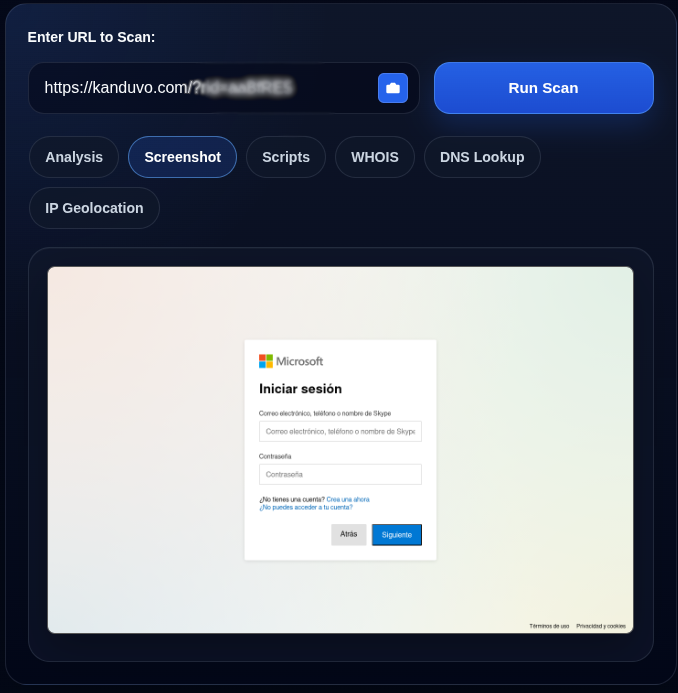
kanduvo.com.
At first glance, the page resembles a Microsoft authentication interface. That appearance is not evidence that the page is legitimate.
Phishing operators routinely copy:
- Logos
- Fonts
- Colors
- Form layouts
- Privacy links
- Copyright notices
- Background designs
The key comparison was:
Displayed brand: Microsoft
Submitted domain: kanduvo.com
Those values did not match.
Step 5: Identify Credential Collection
The scanner detected a password field and a form consistent with credential collection.
High-severity finding
password_field_detected
Page contains a password field.
A password field is not automatically malicious. Legitimate authentication pages obviously contain password fields.
The concern comes from the surrounding evidence:
- The page requested Microsoft credentials.
- The hostname was not a Microsoft domain.
- The page used Microsoft branding.
- Email and password fields appeared together.
- The scanner identified a likely credential form.
Related credential findings
credential_form_detected
Form contains fields suggesting credential collection.
email_plus_secret
Email + password/secret fields detected on the same page.These findings describe the page’s observed behavior. They do not depend on whether another security vendor has already classified the URL as malicious.
Step 6: Compare the Brand With the Domain
The scanner identified the following brand mismatch:
brand_mismatch
Page content or URL references "microsoft" but the domain
"kanduvo.com" does not match.
This was one of the strongest findings in the investigation.
The page visually presented itself as a Microsoft login page, but it was delivered through a domain that did not match the organization being impersonated.
Legitimate third-party applications may use Microsoft authentication. However, the expected behavior is normally to redirect the user to a Microsoft-controlled identity endpoint rather than collect the user’s Microsoft password directly on an unrelated domain.
When investigating a Microsoft link that has been rewritten by Safe Links, first extract its destination with the IT Knowledge Bases Safe Link Decoder .
Step 7: Review the Combined Security Findings
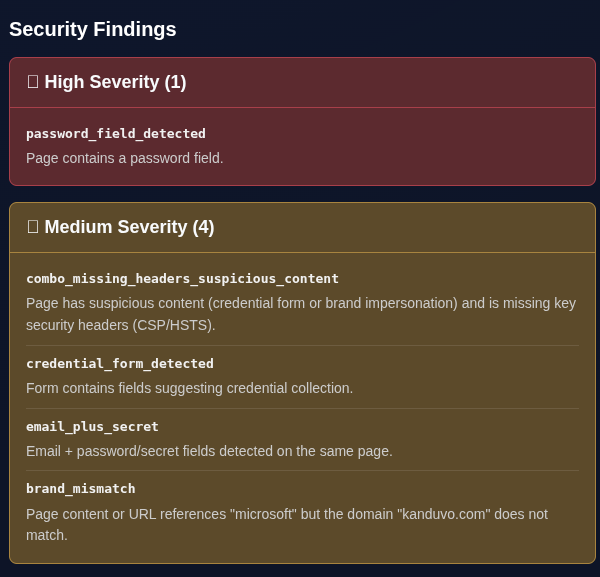
High severity
password_field_detected
Page contains a password field.
Medium severity
combo_missing_headers_suspicious_content
Page has suspicious content and is missing key security
headers such as CSP or HSTS.
credential_form_detected
Form contains fields suggesting credential collection.email_plus_secret
Email and password or secret fields were detected on the same page.brand_mismatch
Page references Microsoft, but the domain kanduvo.com does not match.The value comes from the combination of findings.
A password field alone does not prove phishing. Missing security headers alone do not prove phishing. Microsoft branding alone does not prove phishing.
Together, the findings describe a page that:
- Uses Microsoft branding.
- Operates through an unrelated domain.
- Requests an email address.
- Requests a password.
- Appears designed to collect credentials.
- Lacks some expected browser security protections.
That combination is substantially more meaningful than any single warning.
Step 8: Interpret Missing Security Headers Correctly
The scanner reported suspicious content combined with missing security headers.
Relevant headers may include:
- Content-Security-Policy
- Strict-Transport-Security
- X-Frame-Options
- Referrer-Policy
Missing headers do not prove that a site is malicious. Many legitimate websites have incomplete header configurations. An attacker can also configure strong security headers on a phishing site.
In this investigation, missing headers were supporting evidence. The primary evidence was credential collection, Microsoft impersonation and the domain mismatch.
Step 9: Do Not Trust HTTPS by Itself
The suspicious URL used HTTPS:
https://kanduvo.com/HTTPS indicates that the connection between the browser and web server is encrypted. It does not prove that the website is trustworthy.
HTTPS does not establish that:
- The site is operated by Microsoft.
- The organization behind the page is legitimate.
- The credential form is authorized.
- The site is free from malicious content.
- The form destination is safe.
A padlock protects the connection to the site. It does not validate the site’s intent.
Step 10: Do Not Enter Test Credentials
There was no need to submit credentials to determine that the page was dangerous.
Entering test credentials can:
- Confirm that the phishing page is active
- Trigger additional redirects
- Expose investigation infrastructure
- Send information to the page operator
- Trigger downloads or follow-on content
- Create unnecessary legal or policy concerns
Fake testing accounts should only be used in an authorized and properly isolated security laboratory.
Step 11: Assign a Disposition
Disposition: Malicious — credential phishing
Supporting evidence
- The URL used the unrelated domain
kanduvo.com. - The rendered page displayed Microsoft branding.
- The page requested an email address or account identifier.
- The page requested a password.
- The scanner detected a credential form.
- Microsoft branding did not match the hosting domain.
- The page lacked security headers while presenting suspicious credential content.
Assessment
The page impersonated a Microsoft sign-in experience while operating through a non-Microsoft domain and requesting account credentials.
The combination of brand impersonation, credential collection and hostname mismatch is consistent with credential phishing.
Example Investigation Record
URL:
https://kanduvo.com/?rid=aaBf••••

Disposition:
Malicious — credential phishing

Observed brand:
Microsoft

Observed hostname:
kanduvo.com

Credential fields:
Email or account identifier
Password

High-severity findings:
password_field_detected

Medium-severity findings:
credential_form_detected
email_plus_secret
brand_mismatch
combo_missing_headers_suspicious_content

Assessment:
The page impersonates Microsoft while requesting credentials
from a non-Microsoft domain. The combined evidence is consistent
with credential phishing.
What an Administrator Should Do Next
Block the relevant indicators
Depending on the available security controls, block or monitor:
- The full URL
- The domain
- Related redirect domains
- The sender address
- Relevant message identifiers
Do not block an entire shared cloud or hosting provider because one malicious page was hosted there.
Search for message delivery
Search the email environment for:
- Other recipients
- Matching URLs
- Similar subjects
- Matching sender addresses
- Matching reply-to addresses
- Related campaign messages
Determine whether anyone clicked
Review available evidence from:
- Microsoft Defender for Office 365
- Secure email gateways
- Web proxies
- DNS logs
- Endpoint telemetry
- Browser history
- Firewall logs
Determine whether credentials were entered
If a user entered credentials:
- Reset the password.
- Revoke active sessions and authentication tokens.
- Review multifactor-authentication methods.
- Check for newly registered devices.
- Review inbox and forwarding rules.
- Inspect OAuth application consent.
- Search for unusual sign-ins.
- Review additional account activity.
Preserve the evidence
Keep copies of:
- The original URL
- The redacted public URL
- Remote screenshots
- Scanner findings
- Email headers and message content
- User statements
- The incident timeline
- Remediation actions
Why This Investigation Did Not Depend on Reputation
A reputation service may or may not have detected the URL when it was scanned. That does not change the directly observed evidence.
New phishing pages may remain undetected because:
- The campaign is new.
- The URL contains a unique recipient token.
- The campaign has a low delivery volume.
- The page filters automated scanners.
- The content changes based on location.
- The page redirects unwanted visitors elsewhere.
- The URL has not yet been reported.
A zero-detection result should not outweigh direct evidence that a non-Microsoft domain is presenting a Microsoft login form and requesting credentials.
Investigate Suspicious URLs Remotely
The IT Knowledge Bases Phishing URL Scanner can remotely collect evidence including:
- Landing-page screenshots
- Redirect-chain details
- Final destinations
- Password-field detection
- Credential-form detection
- Brand mismatches
- Domain and DNS information
- IP and hosting context
- Script observations
- Security-header findings
The scanner supports an investigation. It does not replace analyst judgment, endpoint protection, malware sandboxing or commercial threat intelligence.
Final Assessment
The investigation began with the partially redacted URL:
https://kanduvo.com/?rid=aaBf••••The page displayed a Microsoft sign-in form while operating through a domain unrelated to Microsoft.
The scanner detected:
- A password field
- A credential form
- Email and secret fields
- Microsoft branding
- A brand-to-domain mismatch
- Missing security headers associated with suspicious content
The page should be treated as malicious credential phishing.
The key lesson is that a familiar logo, professional design and HTTPS connection do not establish legitimacy. The domain, page behavior and requested information must all agree. In this investigation, they did not.
Frequently Asked Questions
Can I investigate a suspicious URL without opening it?
Yes. A remote URL scanner can retrieve the page from an isolated environment and collect screenshots, redirects, form fields, domain information and other evidence without directly opening the link on your workstation.
Does HTTPS mean a suspicious URL is safe?
No. HTTPS encrypts the connection between the browser and server. It does not prove that the website is legitimate or that the organization operating it can be trusted.
Is a password field enough to prove phishing?
No. Legitimate login pages contain password fields. A password field becomes more suspicious when it appears with an unrelated domain, copied branding, unexpected credential requests or an external form destination.
What is a brand mismatch in a URL scan?
A brand mismatch occurs when a page references or displays a company such as Microsoft, but the hostname does not match a domain associated with that company.
Should I enter fake credentials into a suspected phishing page?
Not during routine triage. Test credentials should only be used in an authorized and isolated security laboratory because submitting a form can trigger additional content or expose the investigation environment.