
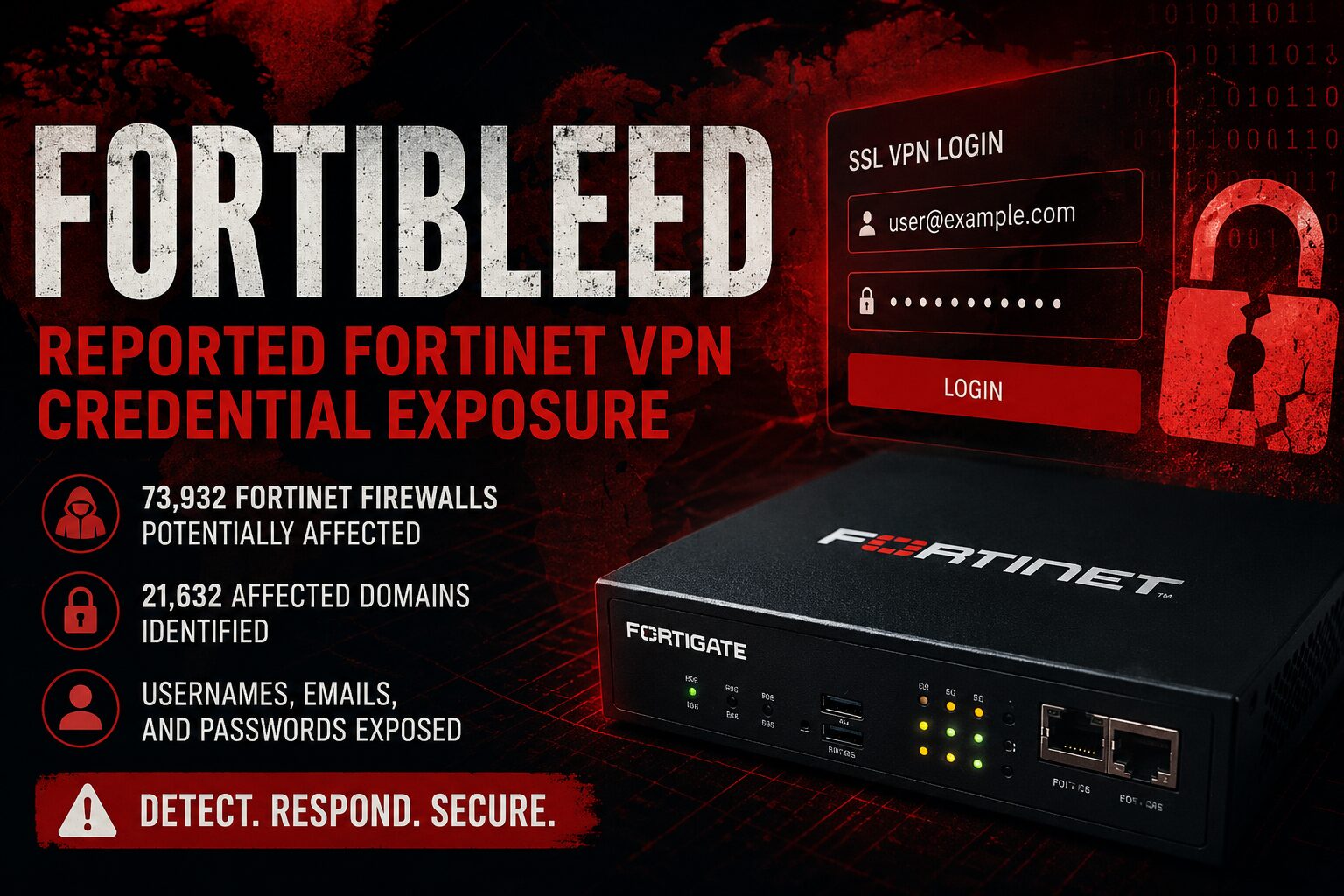
A newly reported credential exposure campaign, referred to by researchers as FortiBleed, allegedly involves a large dataset of Fortinet FortiGate firewall and SSL VPN credentials associated with internet-facing Fortinet devices.
According to public reporting from Hudson Rock and other researchers, the dataset reportedly includes credentials associated with approximately 73,932 Fortinet firewall URLs and 21,632 affected domains. Reported exposed data includes usernames, email addresses, plaintext passwords, and device-related metadata.
Important clarification: FortiBleed is not currently a CVE. It is not a confirmed Fortinet zero-day. It is best understood as a reported large-scale Fortinet credential exposure and validation campaign.
If your organization uses FortiGate SSL VPN or exposes Fortinet administrative interfaces to the internet, review logs, rotate credentials, enforce MFA, and restrict management access immediately.
What Is Confirmed
The following is based on public reporting available as of June 17, 2026.
- Hudson Rock reported 73,932 unique Fortinet firewall URLs and 21,632 affected domains.
- Bob Diachenko reported discovering exposed infrastructure associated with the campaign.
- SecurityWeek reported SOCRadar findings involving more than 30,000 compromised Fortinet firewalls.
- Multiple researchers have publicly stated that sampled credentials appear to be valid.
- FortiBleed does not currently have an assigned CVE.
- Several Fortinet CVEs disclosed in 2026 should be patched where applicable, but they are not the confirmed root cause of FortiBleed.
What Is Not Confirmed
Do not assume the following unless your organization has direct evidence:
- That every organization named in public reporting was successfully breached.
- That every credential in the dataset is still valid or actively used.
- That the campaign was caused by a new or undisclosed Fortinet vulnerability.
- That all affected devices were compromised through the same method.
- That password rotation alone removes an attacker from the environment.
- That a clean result in a public lookup tool proves your Fortinet environment is safe.
A public lookup result can help triage exposure, but it is not a substitute for log review, credential rotation, MFA enforcement, device hardening, and incident response validation.
FortiBleed and CVEs: Related Exposure, Not the Confirmed Root Cause
FortiBleed itself does not currently have an assigned CVE. The vulnerabilities below should be patched where applicable, but they should not be described as the confirmed cause of FortiBleed.
CVE-2026-35616 — FortiClient EMS Improper Access Control
CVE-2026-35616 affects Fortinet FortiClient EMS 7.4.5 through 7.4.6. NVD describes it as an improper access control vulnerability that may allow an unauthenticated attacker to execute unauthorized code or commands via crafted requests. This CVE has been added to the CISA Known Exploited Vulnerabilities catalog. This vulnerability is separate from FortiBleed but is critical for any organization using FortiClient EMS.
CVE-2026-21643 — FortiClient EMS SQL Injection
CVE-2026-21643 affects FortiClient EMS 7.4.4. It has been described as a SQL injection vulnerability that may allow an unauthenticated attacker to execute unauthorized actions through specially crafted HTTP requests. See the NVD entry for CVE-2026-21643 for current details. This vulnerability is separate from FortiBleed but should be prioritized for patching on any FortiClient EMS deployment.
CVE-2026-24858 — Fortinet FortiCloud SSO Authentication Bypass
CVE-2026-24858 affects multiple Fortinet products when FortiCloud SSO authentication is enabled. NVD describes it as an authentication bypass vulnerability that may allow an attacker with a FortiCloud account and registered device to log into devices registered to other accounts. This CVE has been added to the CISA Known Exploited Vulnerabilities catalog. This vulnerability is separate from FortiBleed. Verify whether your environment is affected.
CVE-2026-39813 — FortiSandbox JRPC API Path Traversal
CVE-2026-39813 affects FortiSandbox. The Fortinet PSIRT advisory FG-IR-26-112 describes it as a path traversal vulnerability in the FortiSandbox JRPC API that may allow an unauthenticated attacker to bypass authentication via crafted HTTP requests. CVSS 9.1 (Critical).
Note: The Fortinet PSIRT advisory listed “Known Exploited: No” at the time of writing. Some third-party reporting has claimed exploitation attempts were observed. Verify current Fortinet PSIRT guidance before treating exploitation as confirmed in your environment.
CVE-2026-39808 — FortiSandbox OS Command Injection
CVE-2026-39808 affects FortiSandbox and FortiSandbox PaaS. CVE.org describes it as an OS command injection vulnerability that may allow execution of unauthorized code or commands. Some third-party reporting has claimed exploitation attempts were observed. Verify against current Fortinet vendor guidance.
CVE-2026-25089 — FortiSandbox OS Command Injection
CVE-2026-25089 affects FortiSandbox, FortiSandbox Cloud, and FortiSandbox PaaS. NVD describes it as an unauthenticated OS command injection vulnerability that may allow execution of unauthorized commands through specially crafted HTTP requests. This is not a confirmed cause of FortiBleed. Exposed FortiSandbox systems should be reviewed and patched per Fortinet PSIRT guidance.
How the Reported FortiBleed Activity Appears to Work
The exact full attack chain has not been independently verified across all reporting sources. The following is a summary of what researchers have publicly described. Claims that come from a single source or that have not been confirmed by Fortinet are labeled accordingly.
Phase 1: Target Discovery
Researchers report that attackers scanned the public internet for Fortinet FortiGate and SSL VPN endpoints. Exposed management interfaces and VPN portals increase risk because they provide attackers a direct place to test credentials at scale.
Phase 2: Credential Testing
Public reporting indicates attackers used automated login attempts against identified Fortinet targets. The credential sources are not fully confirmed. Possible sources include previously leaked Fortinet-related credentials, reused passwords from earlier breaches, infostealer logs, weak or commonly used passwords, and credentials captured from previously compromised environments.
Note on password complexity: If a password was captured by endpoint infostealer malware, its complexity does not protect it — the credential is captured in plaintext before encryption is applied. This is based on how infostealer malware generally operates, not on confirmed forensic evidence specific to every FortiBleed case.
Phase 3: Successful Login Collection
Researchers reported that successful authentications were cataloged in a structured dataset. Valid VPN or firewall credentials can provide initial access to an organization’s perimeter, depending on VPN policy, segmentation, MFA enforcement, and account privilege level.
Phase 4: Possible Configuration Access
Some researchers have reported information consistent with device configuration access on some devices. This has not been confirmed for every device in the dataset. Administrators should check for configuration export events and unexpected administrative activity as part of their investigation, but should not assume a configuration export occurred without direct evidence.
Phase 5: Possible Follow-On Access
Valid SSL VPN credentials can enable access to internal resources depending on access policy and network segmentation. Do not assume FortiGate credential exposure means full internal network or domain compromise. Also do not assume the exposure is limited to the firewall itself. Treat confirmed valid credential exposure as a possible initial access event.
How to Determine Whether You May Be Affected
FortiBleed Incident Response Checklist
Free PDF checklist covering administrator account review, SSL VPN investigations, log preservation, persistence indicators, and immediate remediation steps for Fortinet environments.
📄 Download PDFStep 1: Check Public Lookup Resources
Hudson Rock published a lookup resource for organizations to check whether their domain appears in the reported dataset:
Hudson Rock FortiBleed lookup and analysis
A match should be treated as an urgent incident response trigger. A clean result should not be treated as confirmation that your Fortinet environment is unaffected. The public dataset may not represent the full scope of the campaign.
Step 2: Identify All Internet-Facing Fortinet Services
Inventory every Fortinet device or service exposed to the internet:
- FortiGate SSL VPN portals
- FortiGate administrative interfaces
- FortiManager
- FortiAnalyzer
- FortiClient EMS
- FortiSandbox
- FortiProxy
- FortiWeb
Step 3: Review Administrator Accounts
CLI disclaimer: The commands listed in this section are reference examples based on publicly documented FortiOS CLI syntax. They have not been independently tested by ITKB in a production environment. CLI behavior, output format, and available options may vary depending on your FortiOS version, device model, and configuration. Always validate commands against current Fortinet documentation for your specific version before executing them in a live environment. Where possible, test in a lab or non-production device first. If you are not confident in CLI access on a production firewall, work with a qualified Fortinet engineer or engage Fortinet support directly.
get system adminWhen reviewing the output, look for:
- Unknown local administrator accounts not tied to a known person or approved service
- Generic account names such as
secadmin,backup, or similar - Accounts created outside a documented change window
- Accounts with higher privilege than expected
- Stale accounts belonging to former staff or vendors
Remove or disable any account that cannot be validated against your records.
Step 4: Review SSL VPN Users and Sessions
CLI disclaimer applies. Validate against Fortinet documentation for your FortiOS version before use in a live environment. Test in a non-production environment first where possible.
get vpn ssl monitor
diagnose vpn ssl list
When reviewing the output, look for:
- Logins originating from countries where your users do not operate
- Logins from IP addresses associated with VPS or hosting providers
- Impossible travel — two logins for the same account from geographically distant locations within a short time window
- Multiple concurrent sessions for the same user
- Access at unusual hours relative to the account owner’s expected time zone
- Successful logins immediately following repeated failed attempts
Use firewall logs, your SIEM, and identity provider sign-in logs together. VPN session data alone may not provide full context.
Step 5: Review Administrative Login and Configuration Events
In the FortiOS GUI, review Log & Report > System Events. Look for:
- Successful admin logins from unexpected source IP addresses
- New administrator account creation
- Privilege changes to existing accounts
- Configuration download or export events
- Changes to VPN users or groups
- Changes to trusted host restrictions on admin accounts
- Changes to MFA or two-factor authentication settings
- Disabled or reduced logging
If you see configuration export activity that does not correspond to an approved change, treat the device as potentially compromised and escalate.
Step 6: Check for Persistence Indicators
Do not rely only on password rotation. If an attacker had admin access, they may have made changes that survive a credential reset. Check for:
- Unauthorized local admin accounts
- Unauthorized VPN users
- Changed firewall policies
- New automation stitches or scripts
- Unexpected scheduled tasks or recurring jobs
- Unfamiliar API integrations or admin sessions
- New trusted host entries
- Changes to logging destinations or logging levels
- Unexpected certificate changes or new SAML/SSO configurations
Step 7: Investigate Suspicious Source IPs
For any suspicious admin login or VPN session, collect the following before investigating further:
- Source IP address
- Country
- ASN (Autonomous System Number)
- ISP or hosting provider
- Reverse DNS hostname if available
- Timestamp
- Associated username
- Action performed
- Success or failure status
Use the ITKB IP Geolocation Tool to quickly review country, ISP, and ASN context for any suspicious source IP — no account required, runs directly in your browser.
Flag for further investigation:
- Countries where your organization has no users, vendors, or operational presence
- Hosting provider or cloud infrastructure ASNs — legitimate VPN logins rarely originate from VPS providers
- Known anonymization services or Tor exit nodes
- Repeated login attempts from distributed or rotating IP ranges
- Successful logins from networks with no prior activity in your logs
Geolocation data provides context for triage. It is not proof of compromise on its own. Use it to prioritize what to investigate more deeply.
Immediate FortiBleed Remediation Steps
1. Rotate Fortinet Credentials
Rotate immediately:
- FortiGate administrator passwords
- SSL VPN user passwords
- Local firewall service accounts
- Shared or vendor accounts
- Break-glass accounts
- API keys or tokens where applicable
If any credentials may have been reused on other systems, rotate those as well.
2. Enforce MFA
Require multi-factor authentication for SSL VPN access, FortiGate administrative access, FortiCloud access, and identity provider access tied to VPN authentication. Prefer phishing-resistant MFA such as FIDO2 or certificate-based authentication where your environment supports it.
3. Restrict Management Interface Access
Do not expose FortiGate administrative interfaces to the public internet unless there is a documented business requirement and strong compensating controls are in place. Restrict management access to:
- Internal or dedicated management networks
- VPN-only administrative access where appropriate
- Approved source IP ranges
- Named administrator workstations where possible
4. Review Fortinet Product Patch Status
Patch affected Fortinet products according to current Fortinet PSIRT guidance. At minimum, verify patch status for FortiOS, FortiClient EMS, FortiSandbox, FortiManager, FortiAnalyzer, FortiProxy, and FortiWeb.
Do not assume a single firmware update resolves FortiBleed. FortiBleed is primarily a reported credential exposure and access control issue. The CVEs listed above are separate risks that can compound exposure.
5. Preserve Logs Before They Roll Over
If you suspect any unauthorized access, export and preserve logs before making major changes. Preserve:
- FortiGate system event logs
- SSL VPN event logs
- Admin login event logs
- Configuration change event logs
- Identity provider sign-in logs
- SIEM alerts
- EDR alerts
- DNS and DHCP logs
- Active Directory or Entra ID sign-in logs
6. Remove Unknown Accounts and Sessions
Terminate any suspicious active VPN sessions. Disable or remove unknown local admin accounts, unknown VPN users, stale vendor accounts, and shared accounts that cannot be tied to a current owner.
7. Treat Confirmed Unauthorized Admin Access as Device Compromise
If you confirm unauthorized administrative access, do not treat this as a simple password reset event. Recommended steps:
- Preserve logs and the current device configuration before making changes
- Document all indicators of compromise
- Compare the current configuration against a known-good baseline
- Identify and document unauthorized configuration changes
- Rotate all related credentials
- Validate firmware integrity and patch level
- If configuration integrity cannot be trusted, consider a factory reset and rebuild from a verified baseline
FortiBleed Detection Checklist
This checklist is a starting point for triage, not an exhaustive incident response procedure.
- Identify all internet-facing Fortinet interfaces in your environment
- Check whether your domain appears in the Hudson Rock public lookup
- Review all administrator accounts and remove unknown or stale entries
- Review SSL VPN user accounts
- Review current and recent VPN sessions for anomalies
- Review administrative login events for unexpected source IPs
- Review configuration export and change events
- Review new account creation events
- Review firewall policy changes
- Review MFA enforcement status
- Review trusted host restrictions on admin accounts
- Rotate exposed or potentially exposed credentials
- Apply applicable Fortinet patches based on current PSIRT guidance
- Preserve logs before they roll over
- Escalate to incident response if unauthorized access is confirmed
Useful ITKB Tools for FortiBleed Triage
- IP Geolocation Tool — Review country, ISP, and ASN for suspicious admin login or VPN session source IPs.
- DNS Lookup Tool — Investigate suspicious domains, hostnames, and attacker infrastructure encountered during log review.
- Safe Link Decoder — Decode Microsoft Safe Links and other wrapped URLs encountered during phishing and credential-theft investigations.
- ITKB Security Advisories — Review current vulnerability advisories and remediation notes relevant to your environment.
Bottom Line
FortiBleed should not be described as a confirmed Fortinet zero-day or a patchable CVE.
FortiBleed is a reported large-scale Fortinet credential exposure and validation campaign involving FortiGate firewalls and SSL VPN access. The risk is highest for organizations with internet-facing Fortinet interfaces, weak or reused credentials, missing MFA, stale accounts, or unrestricted management access.
If you manage Fortinet devices, assume credentials may be exposed until proven otherwise. Rotate credentials, enforce MFA, restrict public management access, review logs, apply applicable Fortinet patches, and investigate any indicator of unauthorized access.
Credential exposure on a perimeter device is not a minor issue. Treat it as a possible initial access event.