
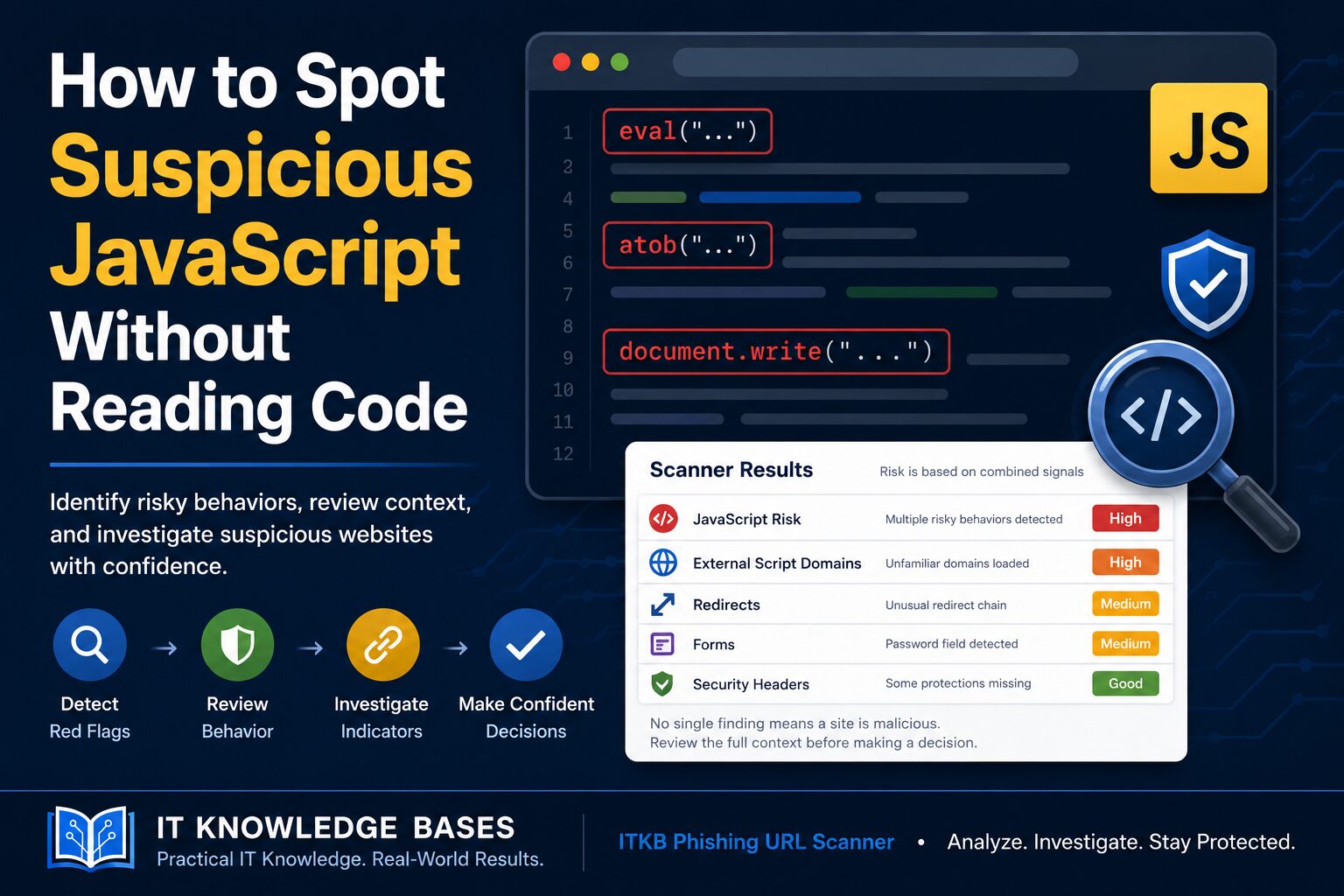
eval(), atob(), dynamic script injection, obfuscated scripts, unexpected redirects, and unfamiliar third-party domains. One signal alone does not prove a site is malicious, but several together should trigger deeper review before entering credentials or trusting the page.
Suspicious JavaScript often reveals itself through behavior, not readable code. You do not need to be a JavaScript developer to identify warning signs like obfuscated scripts, dynamic script injection, unexpected redirects, Base64 decoding, external form actions, or scripts loaded from unfamiliar third-party domains. The key is knowing which signals deserve further investigation and how to review them together.
JavaScript is used on nearly every modern website. Most of it is harmless. It powers menus, login pages, analytics, dashboards, forms, chat widgets, and single sign-on flows. The problem is that attackers use the same language to hide phishing behavior, redirect users, inject fake login forms, and load malicious content after the page opens.
This guide explains how to spot suspicious JavaScript behavior without manually reading thousands of lines of code.
Why JavaScript Matters in Phishing and Website Investigations
When investigating a suspicious website, the visible page is only part of the story. A page may look like a normal login screen while JavaScript handles the parts you cannot immediately see.
JavaScript can:
- Redirect visitors to another domain
- Create or modify login forms
- Load scripts from third-party domains
- Hide URLs or commands using encoding
- Capture form input before submission
- Inject new content after the page loads
None of these behaviors automatically prove that a site is malicious. Legitimate websites use them too. But when several suspicious behaviors appear together, the page deserves closer review.
Suspicious JavaScript Signals to Look For
| JavaScript Behavior | Common Legitimate Use | Why It Can Be Suspicious |
|---|---|---|
eval() |
Dynamic code execution | Can execute hidden or generated code |
atob() |
Base64 decoding | Can decode hidden URLs, scripts, or payloads |
document.write() |
Legacy content injection | Deprecated/discouraged in modern JavaScript and can be abused to inject scripts or forms into the page |
| Dynamic script injection | Loading widgets or analytics | Can load malicious scripts after page load |
| Obfuscated JavaScript | Code protection or minification | Can hide malicious behavior from reviewers |
| Third-party scripts | CDNs, ads, analytics, chat tools | Can introduce supply-chain or phishing risk |
| JavaScript redirects | SSO, regional redirects, login routing | Can send users to credential theft pages |
1. Look for eval()
The JavaScript eval() function runs text as code. That makes it risky because the code being executed may not be obvious when the page first loads.
Attackers commonly use eval() to execute hidden logic, unpack obfuscated scripts, or run code that was assembled dynamically inside the browser.
Finding eval() does not automatically mean the website is malicious. Some older or poorly designed applications still use it. But from a security perspective, it is a strong signal to review the page more carefully.
2. Look for Base64 Decoding with atob()
The atob() function decodes Base64 text. Base64 is not encryption. It is simply a way to represent data as text.
Legitimate websites may use Base64 for images, tokens, or application data. Phishing pages and malicious scripts may use it to hide URLs, commands, or JavaScript logic.
atob() becomes more suspicious when it appears with other indicators such as eval(), dynamic script creation, unfamiliar third-party domains, or unexpected redirects.
3. Review Dynamically Injected Scripts
Dynamic script injection happens when a page creates and loads new scripts after the original page has already loaded.
This is common for analytics, ads, chat tools, consent banners, and monitoring platforms. It can also be abused to load malicious JavaScript only after a visitor opens the page.
For investigations, the important question is not simply whether dynamic scripts exist. The question is whether those scripts come from expected, reputable, and relevant domains.
4. Check for Obfuscated JavaScript
Obfuscated JavaScript is intentionally difficult to read. It may include random-looking variable names, long encoded strings, packed code, or one-line scripts that are hard to follow.
Some legitimate companies obfuscate JavaScript to protect their code. Attackers use the same technique to hide credential theft, redirects, fake form behavior, or malware delivery.
Obfuscation is not proof by itself. But if a login page contains heavy obfuscation, unfamiliar external scripts, and suspicious form behavior, that combination should raise concern.
5. Review Third-Party JavaScript Domains
Most modern websites load scripts from other domains. Common examples include Google, Microsoft, Cloudflare, Stripe, analytics platforms, content delivery networks, and support widgets.
What matters is whether those domains make sense for the website being reviewed.
Ask:
- Does this script domain belong to the organization?
- Is the provider known and reputable?
- Is the domain newly registered or suspicious?
- Does the page load scripts from unrelated hosting providers?
- Are scripts being loaded from lookalike domains?
Unknown third-party scripts are one of the easiest ways to identify pages that deserve deeper investigation.
6. Check Redirect Behavior
JavaScript can redirect users without requiring a click. Redirects are normal for SSO, login routing, regional pages, tracking links, and payment workflows.
They become suspicious when the redirect chain moves through unrelated domains, newly registered domains, URL shorteners, or lookalike domains.
If a page claims to be a Microsoft, Google, banking, payroll, or document-signing login page, the final destination should match the expected service. If it does not, stop and investigate before entering credentials.
How the IT Knowledge Bases Scanner Helps Review JavaScript
The IT Knowledge Bases Phishing Scanner is built to help security teams and IT staff review suspicious URLs without manually reading the entire page source.
When a URL is scanned, the scanner analyzes the page and highlights security-relevant results, including JavaScript-related behavior.
For JavaScript review, scanner results may include:
- Inline JavaScript detected on the page
- External JavaScript files loaded by the page
- Suspicious functions such as
eval()oratob() - Dynamic script activity
- Large or unusual script behavior
- Redirect chains and final destination URLs
- Third-party domains contacted by the page
- Forms, password fields, and form submission destinations
- Security headers such as CSP, HSTS, X-Frame-Options, and Referrer-Policy
- DNS, SSL certificate, and domain registration context
This matters because suspicious JavaScript rarely tells the whole story by itself. The stronger investigation comes from comparing JavaScript behavior against the page’s forms, redirects, headers, DNS records, certificate details, and domain information.
Example Investigation Workflow
Step 1: Scan the URL
Start by running the suspicious URL through the IT Knowledge Bases Phishing URL Scanner or the Private Scanner.
The goal is not to immediately label the site malicious. The goal is to collect enough evidence to decide whether the site is expected, suspicious, or unsafe.
Step 2: Review the Redirect Chain
Check whether the starting URL and final URL match what you expected. If the link came from an email, shortened URL, or security-wrapped link, use the Safe Link Decoder to inspect where it actually leads.
Step 3: Review JavaScript Findings
Look for signs such as eval(), atob(), dynamic scripts, heavy inline JavaScript, or unfamiliar external script domains.
A single finding may be harmless. Multiple findings together deserve more attention. Use the signal table above as a quick reference when reviewing scanner output.
Step 4: Review Forms and Password Fields
If the page contains a password field, review where the form submits. A login form that submits credentials to an unrelated domain is a major warning sign.
Step 5: Review DNS and Domain Details
Use the DNS Lookup tool to review where the domain resolves and the RDAP Domain Lookup tool to review domain registration details.
Newly registered domains, mismatched registrars, unusual hosting, or lookalike names should be reviewed carefully.
Step 6: Review Security Headers
Security headers do not prove whether a site is safe, but missing or weak headers can provide useful context. Review headers such as:
- Content-Security-Policy
- Strict-Transport-Security
- X-Frame-Options
- Referrer-Policy
A weak header configuration on a suspicious login page is not proof of phishing, but it adds to the overall risk picture.
What Does Not Automatically Mean a Website Is Malicious?
Security analysis requires context. These findings are not automatically malicious:
- Google Analytics scripts
- Cloudflare scripts
- Microsoft login redirects
- Large JavaScript files
- Minified JavaScript
- Base64-encoded images
- SSO redirects
- Chat widgets
- Advertising scripts
The mistake is treating one technical signal as a final verdict. A better approach is to collect multiple signals and determine whether the full behavior makes sense for the site.
When Suspicious JavaScript Becomes More Concerning
The JavaScript signal table near the top of this article shows individual behaviors worth reviewing. A website becomes more concerning when several of those behaviors appear together.
A deeper investigation is warranted when:
- The page contains a password field
- The form submits to an unrelated domain
- The page uses
eval()oratob() - Scripts are loaded dynamically after page load
- The final URL differs from the expected brand
- The domain is newly registered or unrelated
- The page loads scripts from unfamiliar third-party domains
- The JavaScript is heavily obfuscated
- Security headers are missing or weak
That combination does not just suggest “JavaScript exists.” It suggests the site’s behavior should be reviewed before a user enters credentials, downloads a file, or trusts the page.
Bottom Line
You do not need to read JavaScript line by line to spot suspicious behavior.
Focus on what the page does:
- Does it redirect somewhere unexpected?
- Does it load scripts from unfamiliar domains?
- Does it use functions commonly associated with hidden or dynamic code?
- Does it collect passwords?
- Does the form submit to the expected destination?
- Do the domain, DNS, SSL, and headers support the site’s legitimacy?
The safest investigations are based on multiple indicators, not one finding. The IT Knowledge Bases Phishing Scanner helps surface those indicators quickly so security teams and IT users can make better decisions before trusting a suspicious URL.
FAQ
Is JavaScript dangerous?
JavaScript is not dangerous by default. It is a normal part of modern websites. It becomes a concern when it is used to hide behavior, redirect users unexpectedly, inject scripts, or capture sensitive information.
Is eval() always malicious?
No. However, eval() is risky because it executes text as code. It should be reviewed carefully, especially when found on login pages or suspicious websites.
What does atob() mean in JavaScript?
atob() decodes Base64 text. It can be used legitimately, but attackers may also use it to hide URLs, scripts, or payloads.
Can JavaScript steal passwords?
JavaScript can interact with page forms and user input. A malicious page may use JavaScript to capture credentials or send form data to an attacker-controlled destination.
How can I inspect JavaScript without coding?
Use a scanner that identifies script behavior, external domains, redirects, forms, and security headers. The goal is to review behavior and context instead of manually reading every line of code.
What is the most suspicious JavaScript behavior?
No single behavior proves a page is malicious. The strongest warning signs usually come from combinations such as password fields, external form actions, obfuscated JavaScript, unexpected redirects, and unfamiliar third-party scripts.